Guide
How to Film a Studio Apartment in Dubai to Make It Look Spacious and Bright
A step-by-step guide for Dubai real estate agents on how to film a studio apartment. Get a shot list and practical tips to make small spaces look bigger, brighter, and more desirable on video.
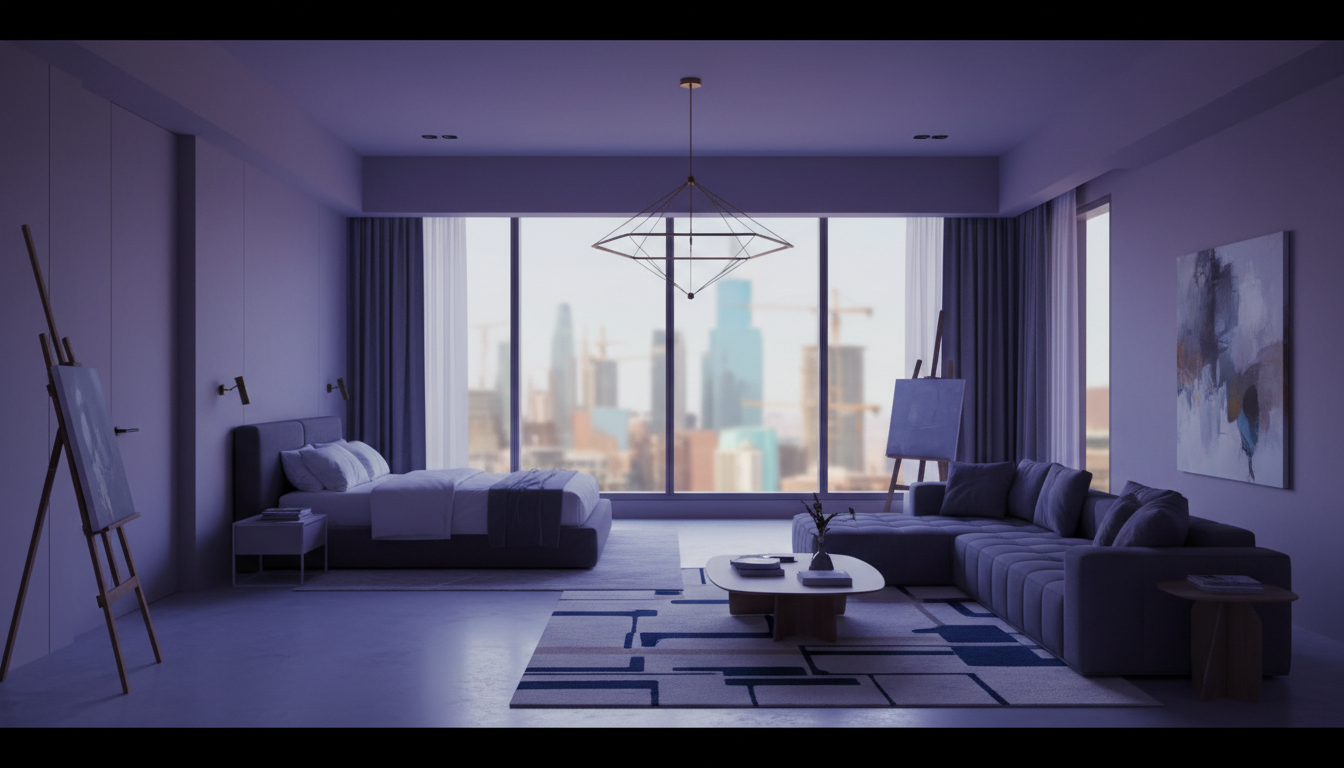
Studio apartments are a vital part of the Dubai real estate market, popular with young professionals, students, and investors. But filming them effectively presents a unique challenge: how do you make a compact space feel open, bright, and inviting on camera? A shaky, poorly lit video can make a studio feel cramped and dark, deterring potential buyers or tenants before they even consider a viewing.
This guide provides a practical, step-by-step approach to filming studio apartments, complete with a shot list designed to maximize the perception of space and light.
Pre-Shoot Prep: Set the Stage for Space
Before you even touch your camera, the most important work happens. Your goal is to create a clean, bright canvas that the camera can capture favorably.
- Declutter Ruthlessly: Remove all personal items, excess furniture, and clutter. A minimalist approach is key. Think of a hotel room—clean surfaces, minimal decor.
- Maximize Natural Light: Open all blinds and curtains completely. Clean the windows inside and out. Natural light is the single most effective tool for making a space feel larger.
- Strategic Staging: If the unit is furnished, use light-colored linens and minimal cushions. A large mirror placed opposite a window can double the amount of light and create an illusion of depth.
- Turn On All Lights: Switch on every light in the apartment, including lamps, under-cabinet lighting, and bathroom lights. This fills in shadows and adds warmth.
Essential Gear (You Already Own Most of It)
You don't need a Hollywood budget to create a great property video. Your modern smartphone is more than capable.
- Your Smartphone: Set it to the highest resolution (4K if available).
- A Gimbal/Stabilizer: This is non-negotiable. Smooth, gliding movements are essential for a professional look and make a space feel serene and expansive. Shaky footage makes it feel chaotic and small.
- Wide-Angle Lens (Optional): A clip-on wide-angle lens for your phone can be a game-changer for small spaces, allowing you to capture more of the room in a single frame.
- Good Audio (Optional): For a standard property tour with music, audio isn't the main focus. But if you plan to do a voiceover, make sure it's clear. For tips, see our guide on how to get perfect audio for your real estate videos.
The Shot List: Filming a Studio That Feels Bigger
Structure your shoot to tell a story and emphasize the best features of the apartment. Remember to shoot in landscape (horizontal) for portals and YouTube, and consider grabbing some vertical clips for social media.
1. The Entry Reveal
Start outside the front door. Open it and walk in slowly, letting the camera reveal the main living space. This creates a sense of arrival and discovery for the viewer.
2. The Wide Corner Pan
This is your most important shot. Stand in one corner of the main room, hold your phone at about chest height, and pan very slowly across the entire space to the opposite corner. This single shot establishes the layout and overall size. Repeat from a different corner to offer another perspective.
3. Focus on the "Zones"
Even in a studio, there are distinct functional areas. Capture them with separate, smooth shots.
- Kitchenette: Glide the camera horizontally across the countertops, showing off the appliances and finishings.
- Living/Sleeping Area: Use slightly lower angles to make the ceiling feel higher. Pan slowly across the main area.
- Bathroom: Keep it quick and bright. Slide from the door to the sink/vanity, then tilt up to the shower. Be careful to stay out of the mirror's reflection.
4. The View and Balcony
The view is a major selling point, especially in areas like Business Bay or the Marina. Start your shot inside, looking at the interior, then walk smoothly towards the window or balcony door. As you move outside, let the view fill the frame. This connects the indoor living space with the expansive world outside, making the apartment feel much larger. For more advanced techniques, check out our high-rise apartment video guide.
5. Detail Shots
Quickly capture 2-3 high-quality details that add character.
- A unique light fixture.
- The built-in wardrobe.
- The finish on the kitchen tap.
- The texture of a feature wall.
These close-ups add a premium feel and break up the wider shots.
From Raw Clips to a Polished Listing Video
You've followed the shot list and have a folder of smooth, bright clips on your phone. Now what? The editing process is what separates an amateur video from a professional marketing asset that generates leads.
Pacing, music selection, color correction, and adding your branding can be time-consuming and require technical skill. This is where many agents get stuck. Your raw footage has potential, but it needs to be assembled into a compelling narrative that holds a viewer's attention and prompts them to inquire.
Instead of spending hours learning complex editing software, you can leverage AI to do the heavy lifting. AutoCastStudio is designed for busy real estate agents like you. Simply upload the clips you just shot, and our AI will analyze them, select the best moments, and edit them into a dynamic, professionally branded video. It intelligently paces the cuts, adds licensed music that fits the mood, and incorporates your logo and contact information.
Stop letting your phone footage sit unused. Turn it into your hardest-working marketing tool. Explore our pricing options and see how easy it is to create stunning property videos that make your listings stand out.
Ready to see it in action? Sign up for free and transform your first studio apartment video today.
Ready to ship your next video?
Start a guided production in AutoCastStudio — script, cast, set, and render in one flow.
Start free